Try Temu now, no sign-up needed

Temu · Before you buy the batch, look at the real number: cost per unit, minimum price and which channel leaves you with a margin
For anyone who buys cheap on Temu, AliExpress, Alibaba or Shein to resell and works out the margin by eye: purchase price versus selling price. Here everything you're actually charged goes in — freight by billable weight, customs duty, import VAT, customs clearance, packaging, channel commission, payment gateway, shipping and returns — and out comes the cost per unit broken down line by line, the minimum price for the margin you want and the point at which the deal stops making sense. It's arithmetic, not an opinion: no figure is written by artificial intelligence, and you can check the breakdown with a calculator next to you.

Expliquer un processus par écrit vous semble insurmontable ?
FlowBoard vous offre un canevas sans limites où vous placez formes, notes et flèches avec ajustement magnétique, vous décrivez le processus à l'IA pour qu'elle dessine le premier brouillon, et vous l'emportez en PNG, SVG, PDF ou Mermaid — ou vous le présentez cadre par cadre.
See the tools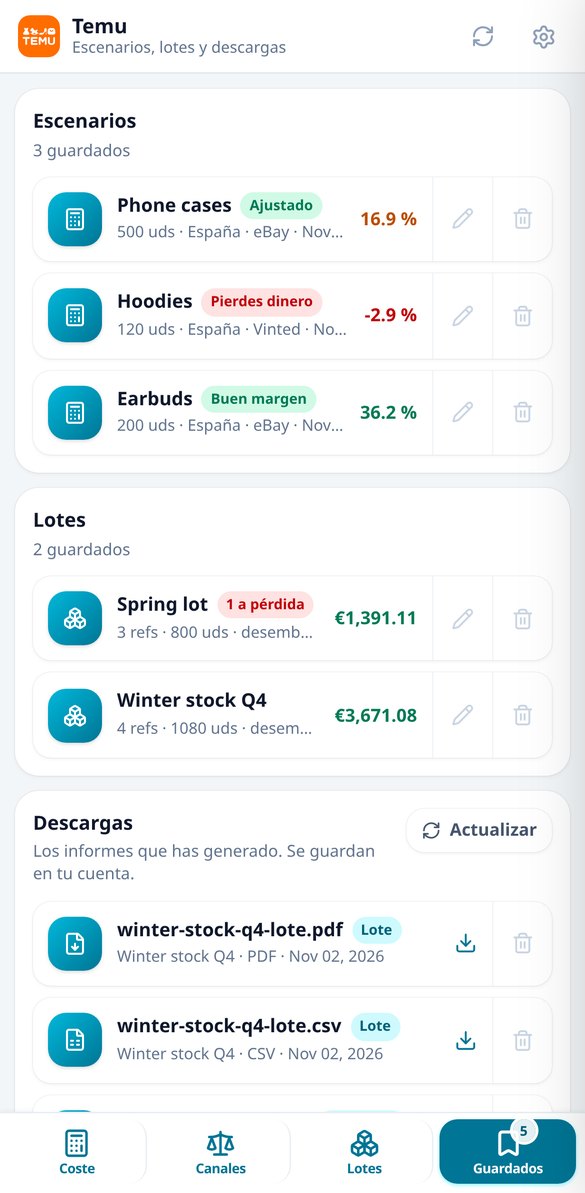
Discover every feature in detail

Unit landed cost and resale margin calculator
Calculate the real cost of an imported unit for resale: freight, duties, VAT, clearance, packaging, shipping, and commissions, line by line. Free and no registration.
Try it free
Calculate the volumetric weight and billable weight of your shipment
Calculate the volumetric weight (length × width × height ÷ divisor 5000, 6000, or 1000), compare it with the actual weight, and find out what weight your carrier bills you for. Free and no registration required.
Try it free
Compare commissions and margin by channel: store, eBay, Etsy, Wallapop
Cross the same import cost with the commission of each resale channel and see where you have the most margin: margin per unit, percentage, minimum price, and margin per batch. Free and no registration required.
Try it free
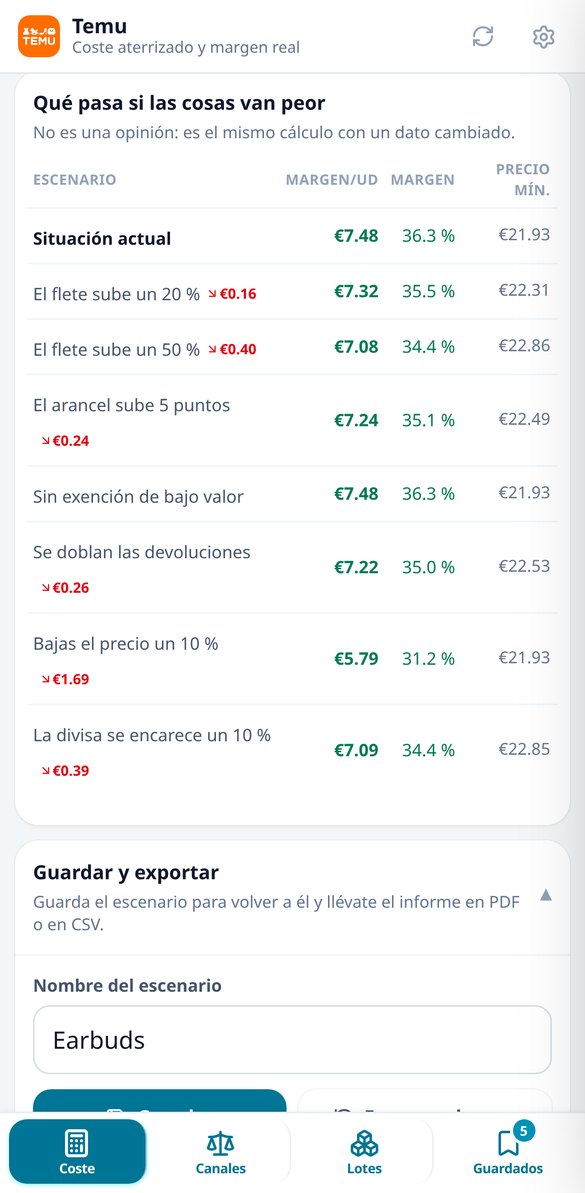
Calculate minimum selling price and break-even point
Calculate how much you need to sell to reach your target margin with the channel and gateway commission included, the price at which the margin is zero, and the units at the break-even point of the lot. Free and no registration.
Try it free
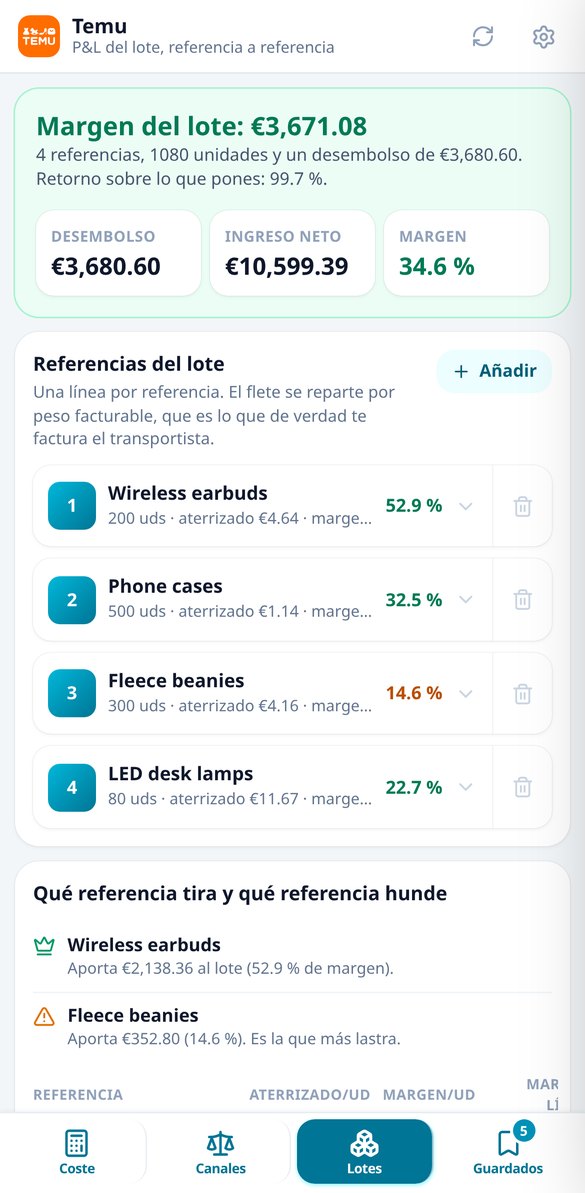
Calculate the margin of a batch with multiple references
Simulate an import order with multiple references: distribute freight by billable weight and customs by value, units, or weight, calculate the tariff for each line with its category, and provide the margin, ROI, and which reference is losing money. Free and no registration.
Try it freeThree calculations nobody does for you: cost, price and the batch
Un éditeur complet de tableau blanc et de diagrammes, sans rien installer.
Landed cost per unit, line by line
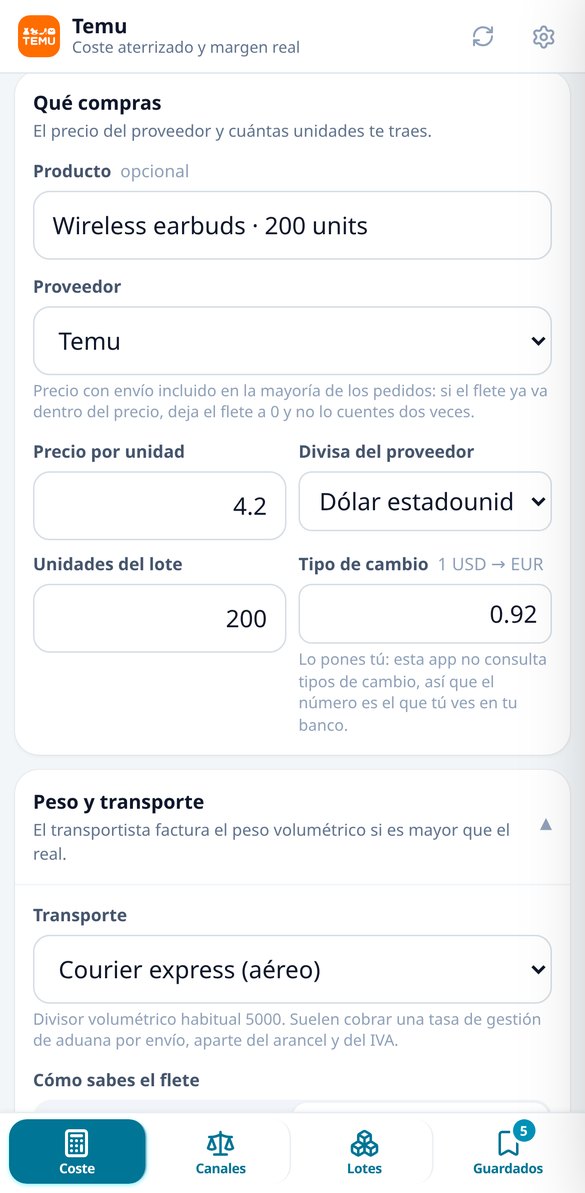
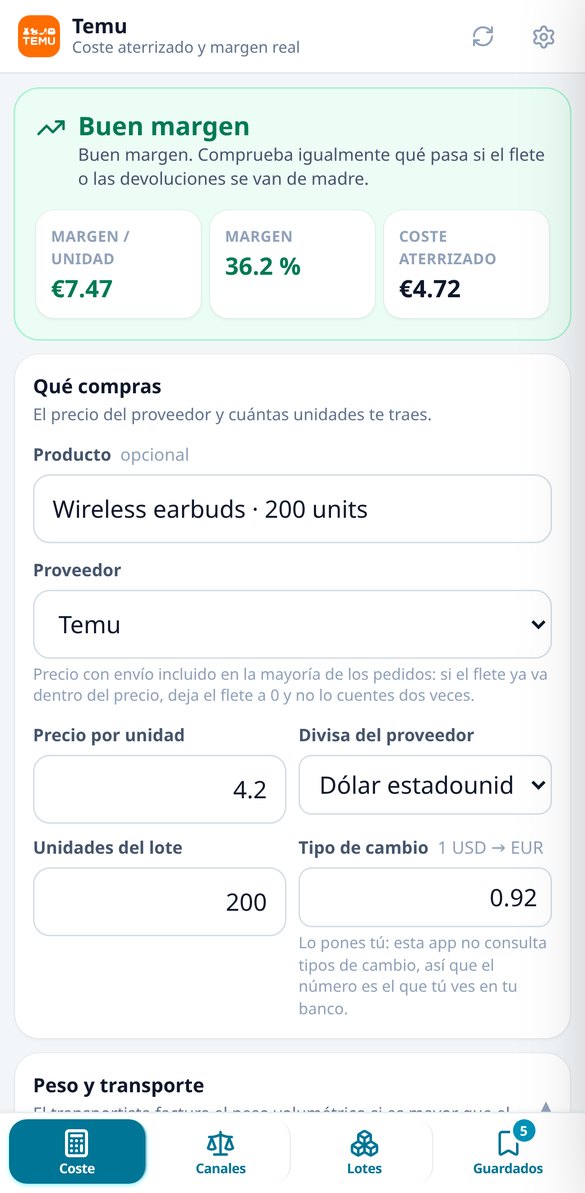
You enter the supplier price and currency, the batch units, the freight (fixed amount or rate per kilo), the box weight and dimensions, the destination country and the product category, and out comes the real cost per unit broken down: merchandise with its exchange rate, freight calculated on BILLABLE weight — the greater of actual and volumetric weight, using the carrier divisor you choose — duty by category, import VAT, clearance fee, packaging, channel commission, payment gateway commission, shipping to the customer, and the cost of returns and shrinkage. Duty, VAT and clearance are applied to the shipment and then spread, which is how they're really calculated, and you can enable the low-value threshold for the regime that applies to you to see whether the shipment is exempt. The total you see is exactly the sum of the lines you see: it doesn't move by a single cent. A single switch, “I declare VAT”, keeps both calculations consistent: if you don't declare it, import VAT is pure cost and what you charge is full revenue; if you do declare it, import VAT is deductible and the selling price is treated as VAT included.

Minimum price, break-even and which channel leaves you with margin
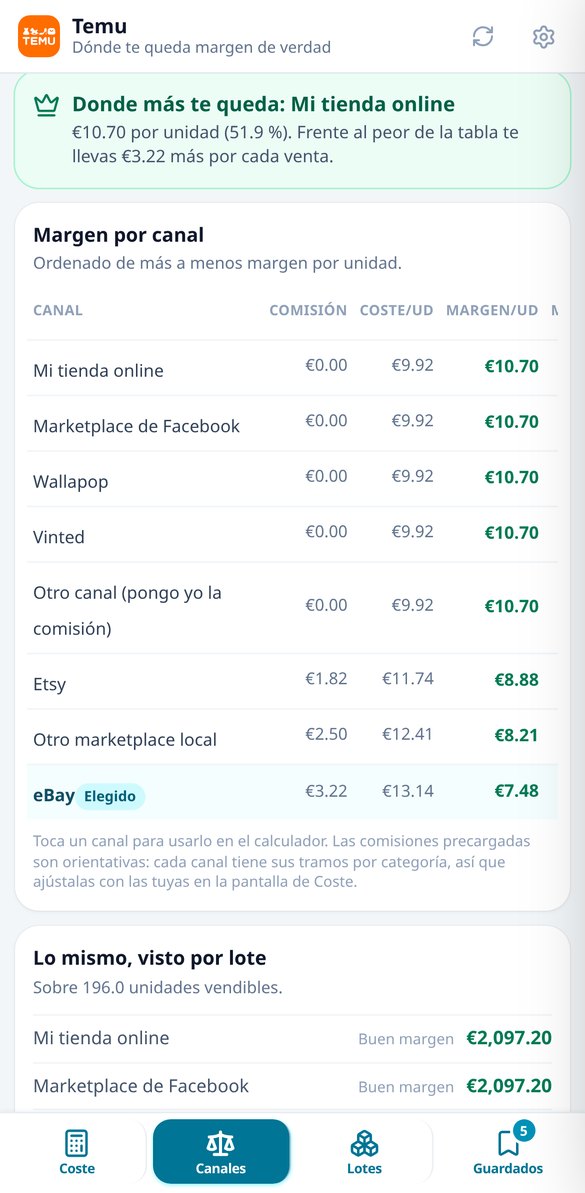
What you decide isn't the margin, it's the price. You say what margin you want and the app solves the minimum selling price as an equation — not by iterating — because the channel and payment gateway commissions depend on the price itself; it also gives you the price at which you neither make nor lose money and, when commissions make the margin you're asking for impossible, it tells you so in those words instead of inventing a number. It adds the break-even point in units against the batch outlay and warns you if it falls above the sellable units, the margin on sales and the markup on cost, a multi-level verdict — from loss to comfortable margin — and a sensitivity analysis that repeats the same calculation changing one input: freight 20% or 50% more expensive, duty five points higher, no low-value exemption, returns doubled, selling price 10% lower and currency 10% more expensive. And the comparator takes that same landed cost and cross-references it with the commissions for each resale channel in the catalogue — your own store, Facebook Marketplace, Wallapop, Vinted, eBay and the rest — to return a sorted table with the net margin, margin percentage and minimum price for each one.
The whole batch, not a single SKU
Almost nobody imports a single product: you import a batch with several SKUs in the same shipment, and that's where splitting freight and fixed costs decides which one wins and which one sinks the operation. You enter several SKUs on the same sheet, each with its price, units, weight, dimensions and category, and the app splits freight by billable weight and the shipment's fixed costs by the basis you choose — value, units or weight — calculates each line as a mini-shipment so duty comes out at the rate for ITS category, and returns the P&L for the whole batch: outlay, revenue, margin, margin percentage, ROI on what you put in, the best and worst SKU and the list of those going to a loss. Totals are the sum of the already-rounded rows, so the table matches what you see. With an account, every scenario and every batch are saved to a history you can reopen, rename and delete, and downloaded as PDF or CSV with the full breakdown to discuss with your partner or accountant.
From supplier price to selling price, in three steps
Inscrivez-vous
Créez votre compte en quelques secondes.
Ouvrez un modèle
Commencez à partir d'une page blanche ou de l'un des six modèles : diagramme de flux, kanban, rétrospective, organigramme ou parcours client.
Dessinez, exportez ou présentez
Placez des formes et des notes, connectez-les et emportez le tout en PNG, SVG, PDF, JSON ou Mermaid — ou montrez-le en plein écran en mode présentation.
Frequently Asked Questions
Latest blog articles
Guides and news to get more out of it

€2 per declaration line fee: how many distinct references should you include in each import order
From 1-11-2026, the EU charges €2 per declaration line plus €3 in tariffs. Calculate how many references and units to include in each order.
End of the €150 exemption in the EU: how to recalculate the real cost and margin when importing from China for resale
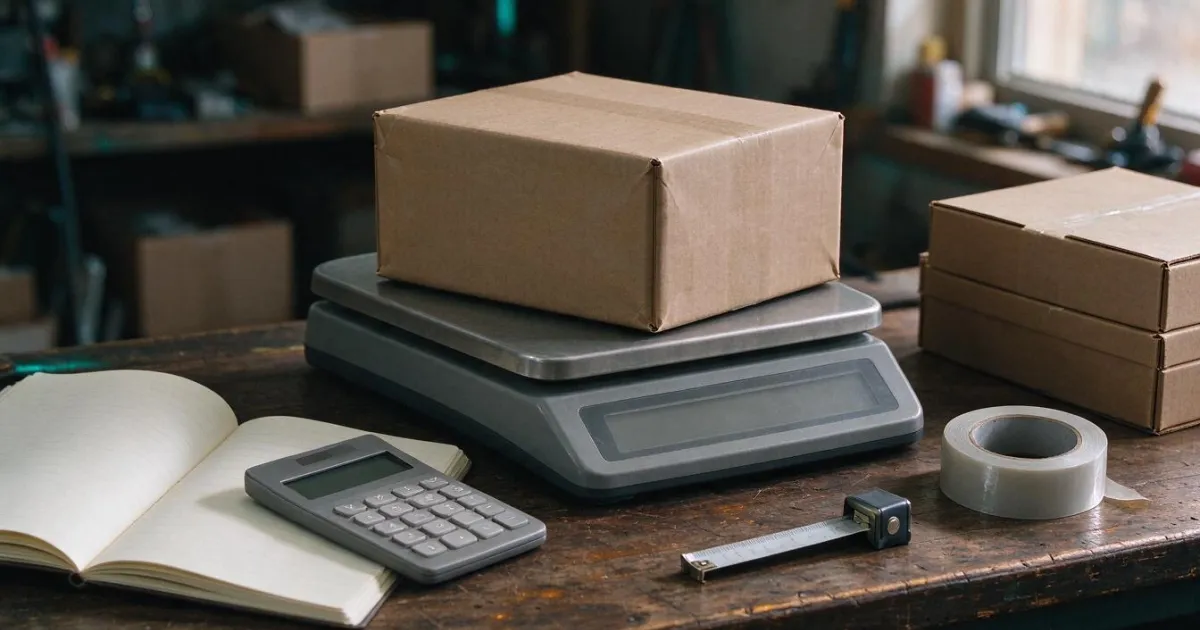
€3 tariff per item and €2 fee: this is how the landed cost changes when importing from China. Line-by-line breakdown and breakeven point.
Look at the number before you pay for the batch
Créez votre compte gratuitement et commencez à dessiner sur le canevas en moins d'une minute.